Save and merge a change set
Use a change set to prepare edits before making them visible on Main. Saving and merging are separate actions.
Before you begin: you need edit and merge permissions in the workspace.
1. Select an editable change set
Open the change-set selector in the workspace header. Choose New change set to create one, or select an existing editable set. Confirm its name replaces Main in the header.
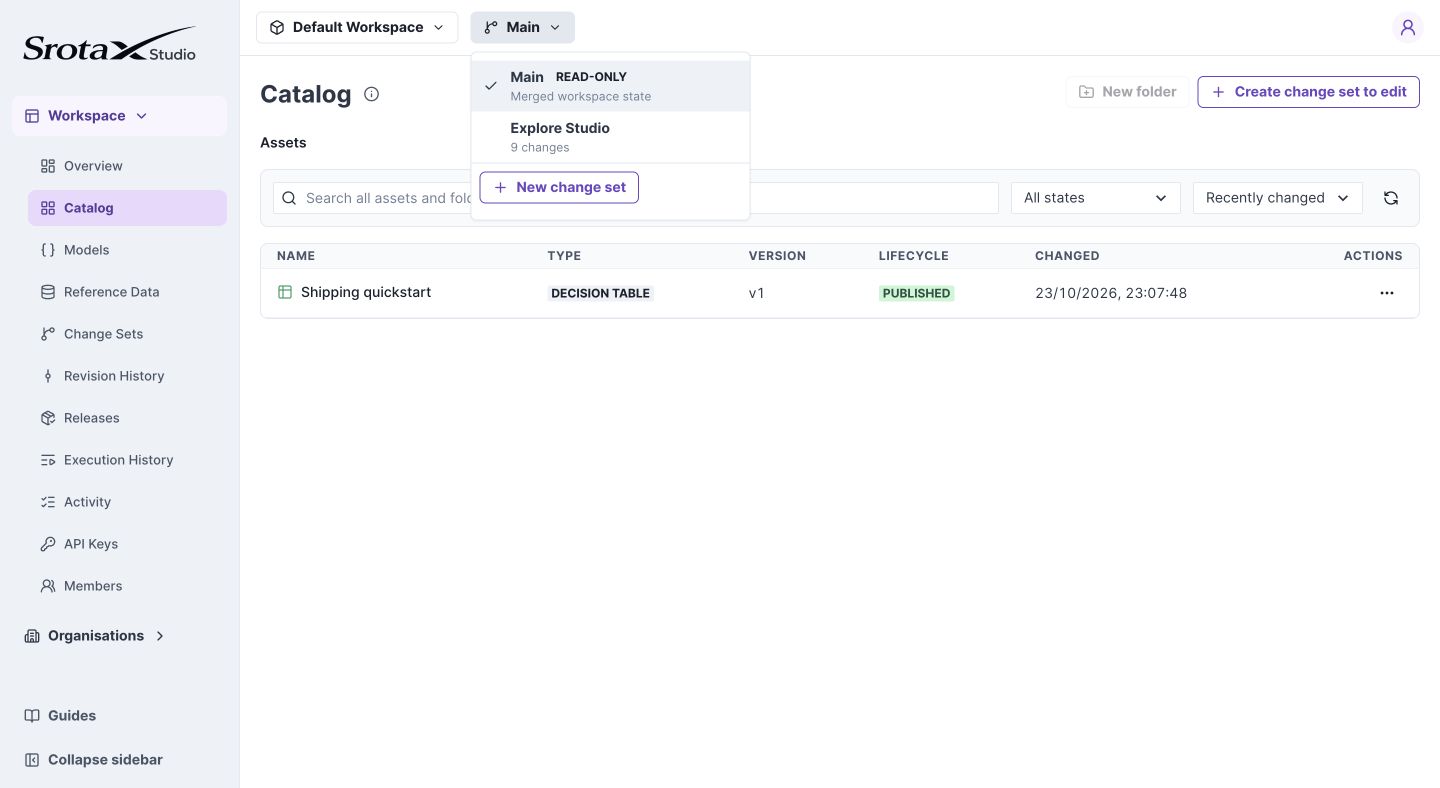
Main is read-only. The selected change set determines where your drafts are saved. Select the image to open it at full size.
2. Save and test the intended edits
Edit an asset, choose Save Draft, and run its tests. Repeat for every asset you intend to merge. For Models, save the model draft and retest its consumers.
Check your work: no intended changes remain only in an unsaved editor. A test can include unsaved work; merge cannot rely on that unsaved state.
3. Review and merge
Open Change Sets, open your set, and inspect the comparison against Main. Review added, modified, and removed resources, including contract and rule changes. Resolve any content conflicts and validation issues, then merge.
Expected result: the changes become available on Main. Runtime traffic remains on its active release until you create and activate a release.
If merge is blocked
Read the affected asset or model in the validation result. A changed shared field may invalidate a consumer even when you did not edit that consumer directly. Fix and save those drafts, then retry the review.
Isolation and lifecycle
A change set does not copy every asset and folder. It stores overrides for touched resources. Untouched folders follow later Main merges; it is not a fully frozen workspace copy.
Folder edits undergo structural validation without content-conflict resolution. Asset and model content conflicts still require resolution.
| Action | Effect |
|---|---|
| Save Draft | Persists editable work in the change set |
| Merge | Integrates changes into Main and creates immutable resource versions |
| Create release | Captures the complete Main revision |
| Activate | Selects the release an environment runs |
A published asset version does not necessarily mean that version is running in Production.