Build a Decision Tree
Express the shipping policy as one question with two outcomes: is the subtotal at least 100?
Before you begin: create a Decision Tree in a change set. Define input subtotal as Number and outputs fee as Number and method as String.
1. Create the condition and outcomes
- Open Design and add a condition named
Free shipping eligible?. - Connect Start to the condition.
- Add a result named
Free shippingon the Yes branch. - Add a result named
Standard shippingon the No branch.
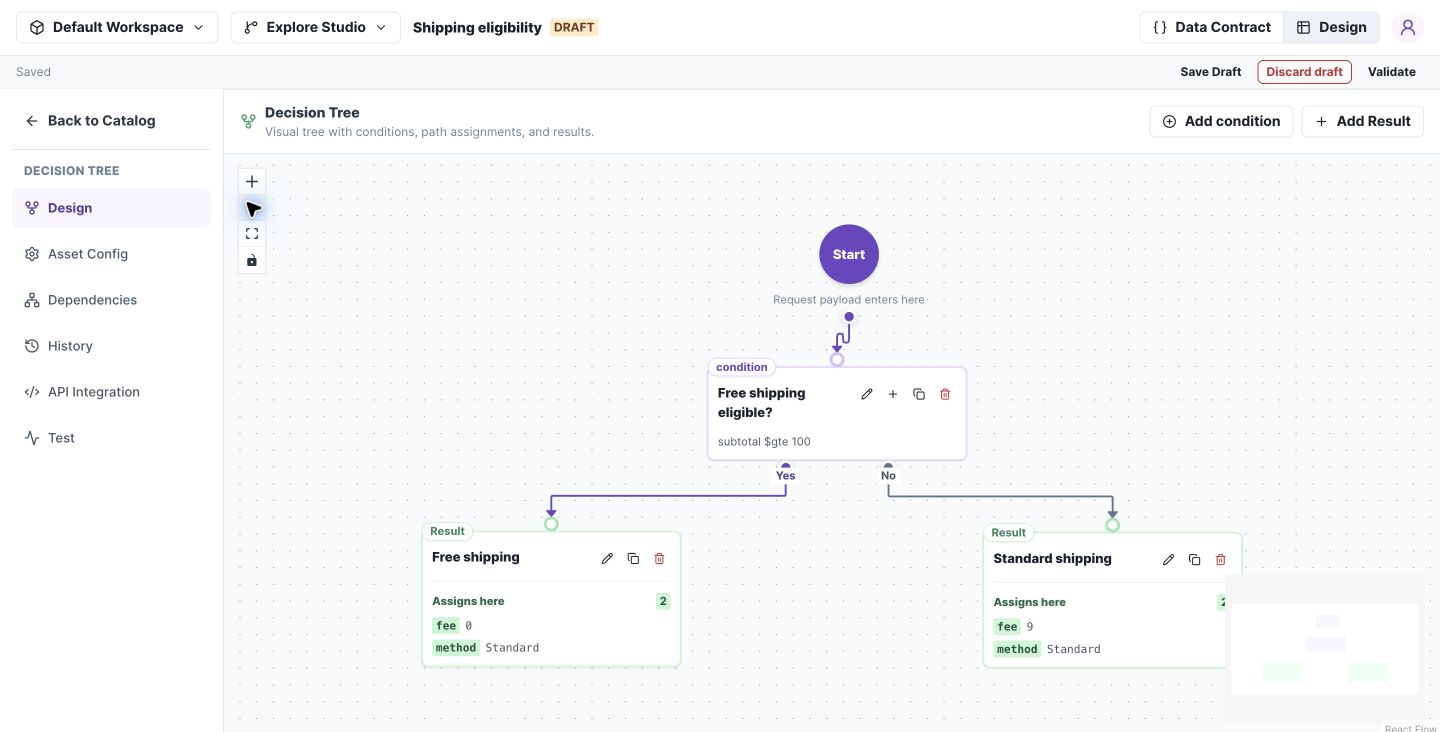
A complete tree routes each condition outcome to a result. Select the image to open it at full size.
2. Configure the question
Open the condition's edit control. Select input.subtotal, Greater than or equal to, and enter 100.
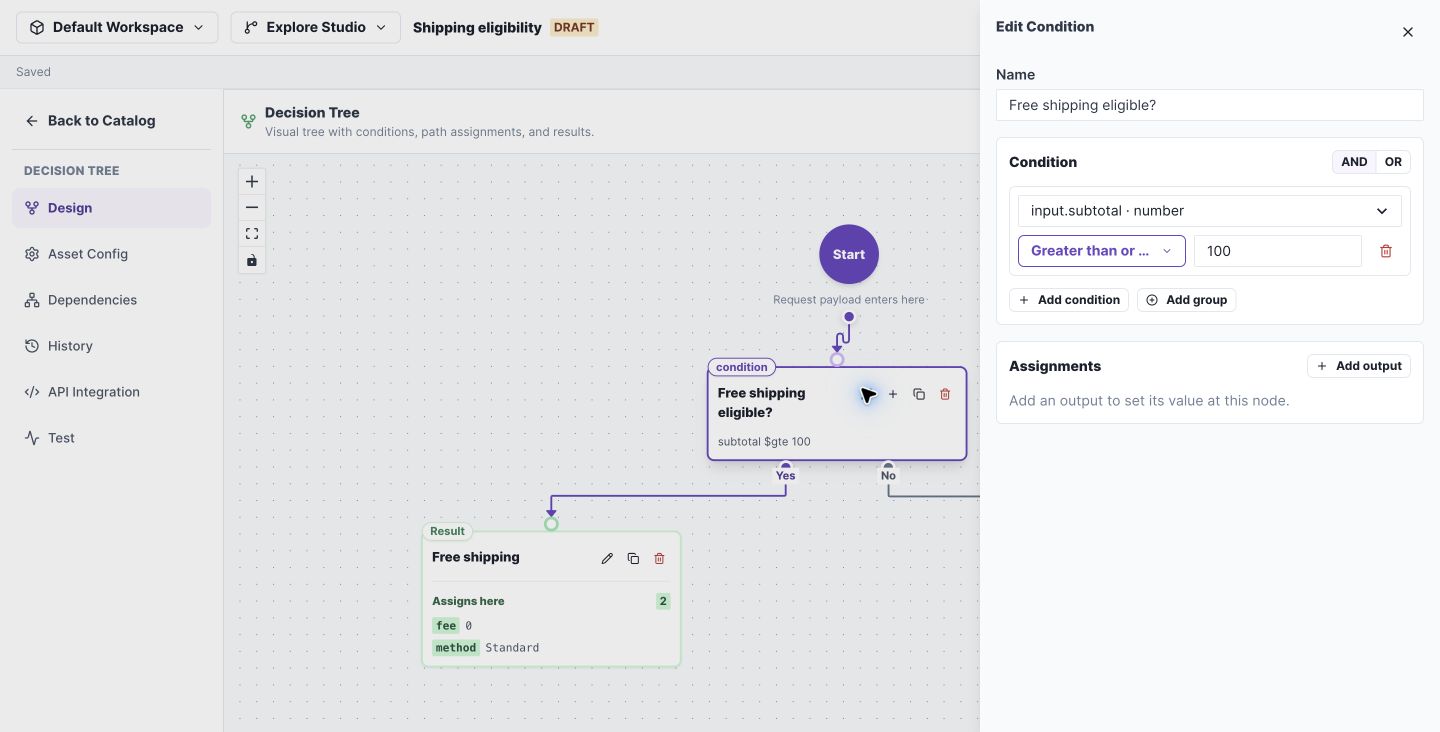
The condition drawer holds the field, operator, and comparison value. Select the image to open it at full size.
3. Set and test each result
Set Free shipping to fee = 0 and method = Standard. Set Standard shipping to fee = 9 and method = Standard.
Open Test, run each input, and compare Result:
| Input subtotal | Expected branch | Expected fee |
|---|---|---|
| 75 | No → Standard shipping | 9 |
| 100 | Yes → Free shipping | 0 |
| 150 | Yes → Free shipping | 0 |
Check your work: the executed path agrees with the result. Save Draft and Validate before merging.
If a route fails: check that both condition outcomes are connected and each result supplies the declared outputs.
Tree behavior
Test every reachable result leaf and exact condition boundaries. The graph indicates the executed path; tile colour alone is not execution evidence.
On Main, zoom and navigation remain available. Adding conditions or results requires an editable change set. Missing branches and invalid outputs must be fixed before merge.